


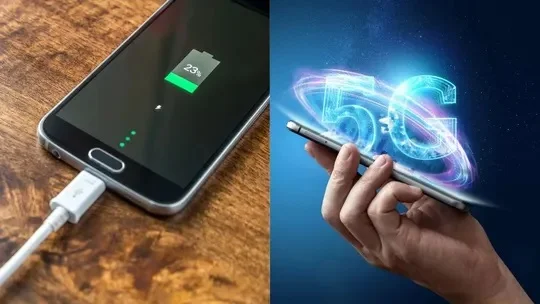
New Delhi: The high speeds, low latency, and superior connectivity of 5G networks have significantly enhanced the internet experience for smartphone users. Consequently, a large number of people are now using 5G smartphones and networks. However, some users complain that keeping 5G enabled drains the phone’s battery rapidly. This raises the question: can the battery last longer if you turn off 5G and use only 4G LTE?
The answer depends entirely on your phone, the network, and the 5G coverage. If the 5G signal in your area is weak and your phone constantly searches for the network or frequently switches between 5G and 4G, battery consumption may increase. In such a scenario, switching to 4G LTE could reduce battery drain.
How much battery can be saved?
With normal usage, turning off 5G can save approximately 5% to 15% of battery life. However, this is not a fixed figure; the extent of battery savings can vary based on the specific smartphone, network, and signal conditions.
The impact is likely to be more noticeable in areas with weak 5G coverage. Conversely, if the 5G signal is strong, turning off 5G might not result in a significant difference in battery life.
Consumption may increase with heavy internet usage
If you frequently use the internet for activities like video streaming, downloading large files, or using a mobile hotspot, a 5G connection may consume more power. However, for everyday tasks such as calling, using WhatsApp, social media, and general browsing, the difference in battery consumption between 4G and 5G may be relatively minor.
When is it beneficial to turn off 5G? If the 5G network is weak at your home, office, or frequently visited locations, switching to 4G LTE might be a better option. This is particularly relevant when your phone constantly switches between 5G and 4G networks, as the process of switching can consume extra battery power.
How to turn off 5G on your phone?
On Android phones:
Open Settings.
Go to Mobile Network or SIM Settings.
Select the ‘Preferred Network Type’ option.
Choose 4G/LTE instead of 5G.
On iPhone:
Go to Settings.
Open Mobile Service/Mobile Data.
Tap on Mobile Data Options.
Go to Voice & Data and select LTE.
So, if your phone’s battery is draining quickly and you do not currently need 5G, you could try using 4G LTE for a while. This can result in better battery life, especially in areas with weak 5G coverage.

